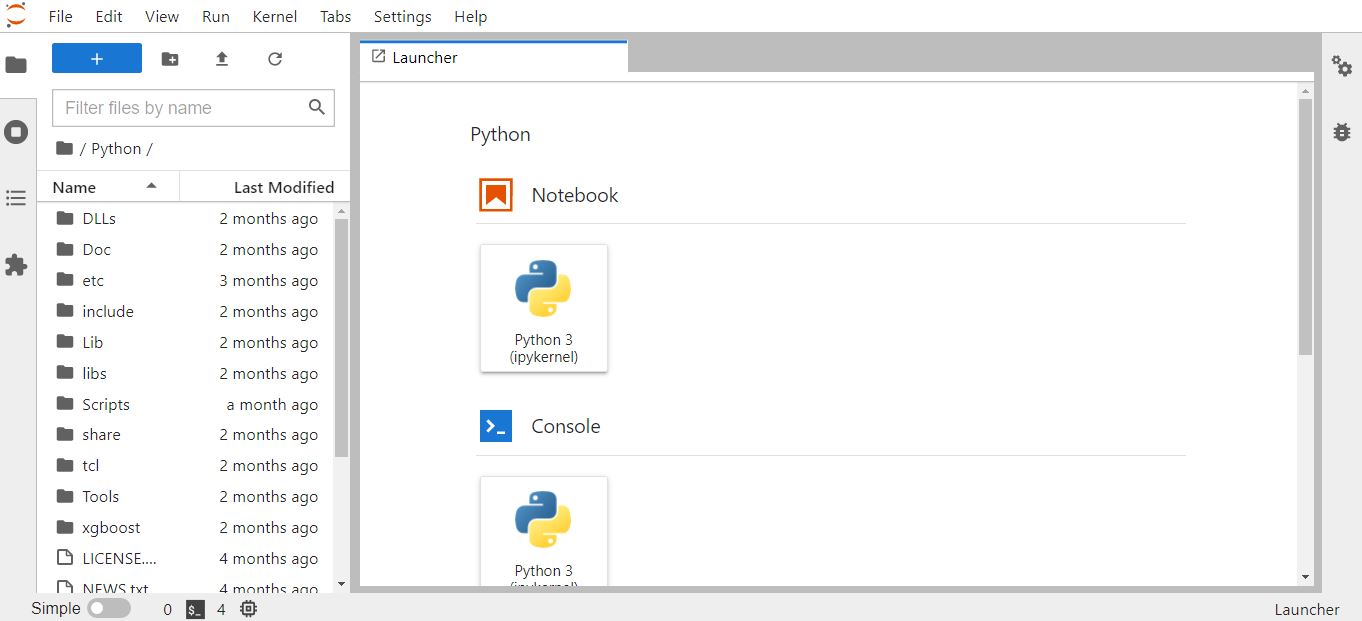
How to install Jupyter Lab for Python : step by step guide
Follow us on Twitter 
Question, remark ? Contact us at contact@myengineeringtools.com
1. Python installation
2. Jupyter Lab library installation : step by step guide
Jupyter Lab is a very cool and practical development environement, especially for Data Scientists, Engineers, Financial Analysts. But how to install and run Jupyter Lab ? This step by step guide answers for a Windows environment.
1. Python installation
The pre-requisite is to install Python. The Python installer can be retrieved from the official Python website where the latest version, but also older ones, are available.
The only important point to remember is to select "add to path" when installing.
Top 5 Most
Popular
1. Compressor
Power Calculation
2. Pump Power Calculation
3. Pipe Pressure
Drop Calculation
4. Fluid Velocity in pipes
5. Churchill Correlation
(friction factor)

2. Jupyter Lab installation : step by step guide
Step 1 : verify that you can access Python in command line
Open a terminal : use the search function of Windows,
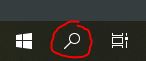
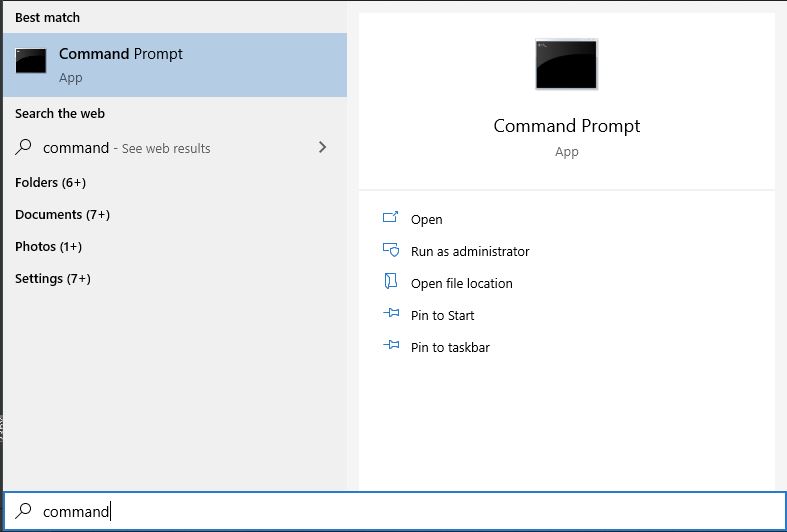
then type command, then click on prompt command. A terminal window opens.
Then type python in minuscule.
If the following shows, then you're good. If not, you need to review the installation of Python.

Note : step 2 is not strictly necessary, you can directly go to step 3, but if you want to check release infos about the latest build of Jupyter Lab, it is the way to go.
Step 2 : localize the Jupyter Lab package with PyPi
Python has a kind of app store for the different libaries available. It is called PyPi. Just go 1st to PyPi to get the exact name of the package you wish to install.
As we want to install Jupyter Lab, go to pypi.org and type jupyter in the search box.

It is available, you can download it thanks to the install tool given by Python, named pip.

Sometimes the name of the packages are confusing, click on the jupyterlab link to access the page an note (or copy) the name of the package. In this case, the name of the package is indeed jupyterlab

Step 3 : install the Jupyter Lab library with pip
Python has a tool to download and install the library from PyPi.
If you are still in the python prompt, exit by typing exit()

To install jupyter Lab, all that you just need is to type the following command :
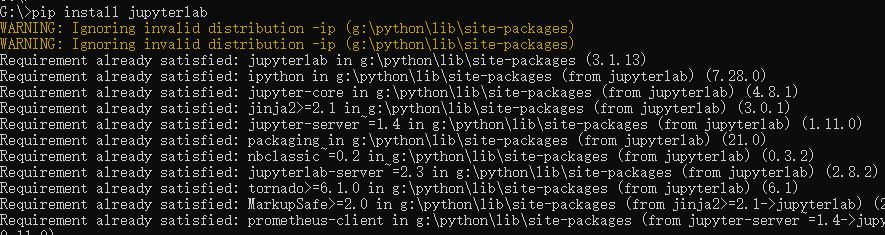
pip install jupyterlab
This will start the installation of many packages (see some of them below)
Step 4 : start Jupyter lab
To start Jupyter Lab :- Open a command window
- If you have several drive, open the right drive where your files are (G: in this example) - It is important otherwise you cannot navigate to another drive from Jupyter Lab
- Type the command jupyter-lab

Your default browser then opens, with the Jupyter Lab environment. Enjoy !